
Laptop Screen Shows Lines After Update – What to Do
March 18, 2026
Temporary Office Setup with Laptop & Desktop on Rent
March 28, 2026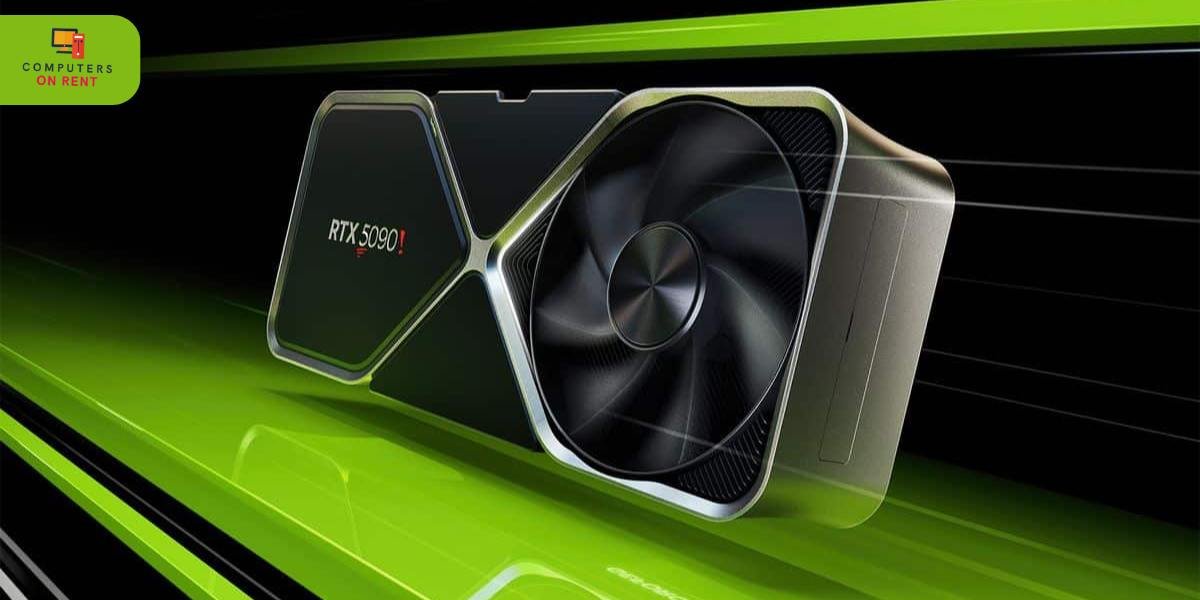
The gaming industry is expanding rapidly, and with every new title pushing graphical boundaries, gamers are constantly in search of better performance. However, buying a high-end RTX gaming PC is not always affordable. That’s why renting gaming desktops with RTX graphics cards has become extremely popular. Whether you want to play AAA titles, participate in esports tournaments, or create live-streaming content, renting makes it easier to access premium performance without a heavy investment. But before booking an RTX gaming PC on rent, there are several factors that every gamer should check. From GPU options and CPU compatibility to power requirements, peripherals, internet speeds, and rental policies, your decisions can drastically affect gaming performance.
This guide covers everything a gamer must evaluate before renting a powerful RTX machine so you can enjoy smooth gameplay, high FPS, and a lag-free gaming experience.
Why Gamers Prefer Renting RTX Gaming PCs
For many gamers, the biggest advantage of renting an RTX gaming PC is cost savings. High-end GPUs like the RTX 3070, 3080, 4070, or 4090 come with a premium price tag. Instead of spending a large amount upfront, renting gives you access to the same level of performance for a small monthly or event-based fee. This is especially useful for gamers who want to test different configurations, upgrade frequently, or play graphically demanding games only for a short period.
Renting also benefits esports teams, gaming cafes, and event organizers who require multiple high-performance systems. A rental provider takes care of maintenance, upgrades, and troubleshooting, ensuring smooth operations. Gamers who travel frequently also prefer rentals because they can access a powerful machine wherever they go, without the burden of carrying heavy equipment.
Evaluating the Right RTX GPU for Your Gaming Needs
Not all RTX graphics cards offer the same performance level, and choosing the right one directly impacts your gaming experience. The RTX series includes several options, each designed for different gaming requirements. Gamers who want to play competitive online games like Valorant, CS2, or Fortnite can rely on GPUs like the RTX 2060 or RTX 3060. Those who enjoy AAA titles like Cyberpunk 2077, Starfield, or Horizon Forbidden West should opt for more powerful cards like the RTX 3080 or 4070.
If you plan to play at 4K resolution with ultra settings, choose the RTX 4080 or RTX 4090. These cards offer advanced ray tracing capabilities, DLSS support, and high frame rates even in demanding environments. When renting, it’s important to specify the type of games you’ll play so the rental company can offer a matching configuration. The wrong GPU can lead to frame drops, overheating, and poor visual quality.
Selecting the Right CPU to Balance GPU Performance
A powerful GPU like an RTX card needs a capable CPU to perform at its maximum potential. If the processor is too weak, it creates a bottleneck, reducing frame rates and creating stuttering issues. When renting an RTX gaming PC, gamers should check whether the CPU belongs to a strong series such as Intel i5/i7/i9 or AMD Ryzen 5/7/9. The ideal choice depends on your preferred games and the GPU you’re renting.
For mid-range RTX GPUs like the 3060 or 3070, a processor like Intel i5 or Ryzen 5 is sufficient. High-end RTX GPUs such as the 3080, 4070, or 4080 require a faster CPU like an Intel i7/i9 or Ryzen 7/9 to achieve optimal performance. Ensuring the right combination guarantees smoother gameplay and better multi-tasking for streaming, recording, or running background apps.
RAM and Storage Requirements for Modern Gaming
Modern games require high RAM capacity to preload textures, manage open worlds, and deliver smooth performance. When renting an RTX gaming PC, 16GB RAM is considered the minimum standard for AAA titles. For simulation games, open-world environments, and heavy streaming tasks, 32GB RAM may be necessary.
Storage is just as important. SSDs significantly improve loading times, reduce stutter, and allow quick transitions between zones or levels. Gamers should always choose NVMe SSD storage over traditional HDDs when renting a gaming PC. Large titles like Call of Duty or Red Dead Redemption 2 require over 100GB each, so ensure the rental PC has ample space to install your full library.
Power Supply and Cooling System Considerations
High-performance RTX GPUs require strong power supplies to function efficiently. When renting, gamers must check whether the system includes a branded PSU with adequate wattage. Using a low-quality or underpowered PSU can lead to sudden restarts, overheating, or even hardware damage.
Cooling is equally important, especially when gaming for long hours. A rental RTX PC should have a well-ventilated cabinet, multiple fans, or liquid cooling to maintain stable performance. Overheating results in lower FPS and reduced GPU lifespan. A good rental company ensures that their gaming desktops undergo temperature and stress tests to guarantee reliability.
Monitor Requirements for the Best RTX Gaming Experience
Gamers often overlook the importance of a compatible monitor. Renting the most powerful RTX PC is pointless if your monitor cannot support high refresh rates. For competitive shooters, a 144Hz or 240Hz monitor is ideal. For 4K gaming, a high-resolution display with HDR support enhances visual clarity.
If you’re renting a PC for virtual reality gaming, ensure the monitor and PC both support VR-ready output standards such as DisplayPort 1.4 or HDMI 2.1. Always confirm monitor availability with the rental provider, as many companies offer packages that include gaming monitors with the PC.
Internet Speed and Network Setup for Online Gaming
For online games, internet speed and network quality matter just as much as GPU performance. A rented gaming PC is only as good as the network it connects to. Gamers should verify whether the rental setup includes LAN connectivity, gaming routers, or network optimization tools. A wired Ethernet connection is always preferable over Wi-Fi for stable, low-ping gameplay.
If you’re renting an RTX PC for streaming or esports events, ensure high upload speeds and low latency. Streaming platforms like Twitch and YouTube require fast, stable internet to broadcast in 1080p or 4K resolution without buffering. A strong network setup ensures competitive performance and smooth online matches.
Checking Preinstalled Games and Software
Before booking, it’s important to confirm whether the rental includes preinstalled games, launchers, and drivers. Some rental companies preconfigure Steam, Epic Games Launcher, and popular esports titles. Others provide a clean system, allowing you to install everything yourself.
Additionally, check whether the PC includes updated GPU drivers, game optimizers, and antivirus protection. Outdated software can cause lag, crashes, and compatibility issues. Rental companies that specialize in gaming PCs often optimize the system for maximum FPS and stability.
Customizations and Add-Ons for Gamers
Many rental companies provide customization services, letting gamers request RGB lighting, mechanical keyboards, gaming chairs, high-resolution monitors, headsets, and professional microphones. For streamers, capture cards and dual-monitor setups may also be available.
If you’re booking an RTX PC for a gaming event, LAN tournament, or gaming café, ask the provider about additional accessories and networking equipment. Custom setups elevate the gaming experience and ensure everything is ready for plug-and-play use.
Rental Duration Options for Gamers and Events
Gamers rent RTX PCs for different durations. Some need the machine for a weekend gaming marathon, while others require long-term rentals for continuous streaming or content creation. Event organizers may need a large quantity of RTX PCs for a few days.
Rental companies offer hourly, daily, weekly, monthly, and long-term plans depending on the requirement. Long-term rentals usually come with discounted pricing and free upgrades. Before booking, clarify the replacement policy, support availability, and extension charges.
Technical Support and Maintenance
A critical factor when renting an RTX gaming PC is the support quality. A high-end gaming desktop can experience software issues, GPU driver conflicts, or network errors. A reliable rental provider should offer quick troubleshooting, remote support, or same-day replacement to avoid gaming interruptions.
Good support ensures peace of mind, especially during tournaments or live streaming sessions where downtime is unacceptable. Before renting, ask the provider about their response times, maintenance schedule, and technician availability.
Pricing Factors for RTX Gaming PC Rentals
The cost of renting an RTX gaming PC depends on several factors, including GPU model, CPU series, RAM, storage, peripherals, and rental duration. High-end configurations with RTX 4080 or 4090 models cost more than mid-range options. Adding monitors, accessories, or gaming peripherals may increase the total cost.
Event-based rentals for tournaments or LAN parties may include setup charges or on-site support fees. Transparent pricing helps gamers plan their budget without unexpected costs.
Conclusion
Renting an RTX gaming PC is a smart and affordable way to experience top-tier gaming performance without investing in expensive hardware. Whether you’re preparing for an esports tournament, planning a gaming weekend, or testing next-generation titles, renting gives you flexibility and power on demand. However, choosing the right configuration is essential for a truly immersive experience. By evaluating GPU performance, CPU compatibility, RAM capacity, storage type, cooling, peripherals, and support options, gamers can ensure that the rental system meets their expectations.
A reliable rental provider not only delivers a powerful RTX gaming PC but also guarantees stability, high FPS, and uninterrupted performance. Making the right choices before booking ensures you enjoy smooth gameplay and get the maximum value from your rental experience.
